Azure DevOps Guidance: Setup Requirements
Azure DevOps Guidance: Setup Requirements
Custom Setup & Configuration
For Organizations with existing Azure Tenant
- If you don’t yet have a subscription, add a subscription to the existing tenant and include Azure DevOps in your subscription.
- If you have a subscription already, add Azure DevOps to your existing subscription.
- If you have existing Visual Studio Enterprise or Professional subscriptions, those will include Basic Plan capabilities. You’ll only need to pay for monthly user licenses for anyone without those subscriptions.
- See the Azure Pricing Calculator to determine your monthly DevOps license costs. If you don’t need professional Microsoft support, it’ll cost ~$3/user/month.
- Once you set up Azure DevOps on your subscription, you’ll need to create an Organization. Start here to learn how to set up your organization.
- Once you’ve set up your organization, you’ll need to provide access to users.
Org Level Extensions
At the organization level, the following extensions should be added:
- Personas (by Agile Extensions)
- Azure DevOps Open in Excel (by Microsoft DevLabs)
- Azure DevOps Dashboard Migration (by Microsoft DevLabs)
- Process Importer (by Microsoft DevLabs)
- Feature timeline and Epic Roadmap (by Microsoft DevLabs)
- Reactivations Report (by Microsoft DevLabs)
- Retrospectives (by Microsoft DevLabs)
- Split! (by Microsoft DevLabs)
- Team Calendar (by Microsoft DevLabs)
- Estimate (by Microsoft DevLabs)
- ADO Security Scanner (by Microsoft)
- Wiql Editor (by Otto Streifel)
- Sprint Goal (by Kees Schollaart)
Processes
Before you create your new project, you’ll need to create an inherited process for your project to use.
- Understand the process inheritance model
- At the org level, select the Boards / Process setting and create an inherited process from the Agile process template. Name the new process Agile_V2.
- Set the process permissions for the scrum master so that s/he can customize the process template to meet the process requirements for Data Strategy engagement.
Engagement Project
- You will need to create a new project to manage all of your project related work. Be sure to select your new, inherited Agile process as the process template your new project will use.
- And then you’ll need to add users and provide access to your DevOps project.
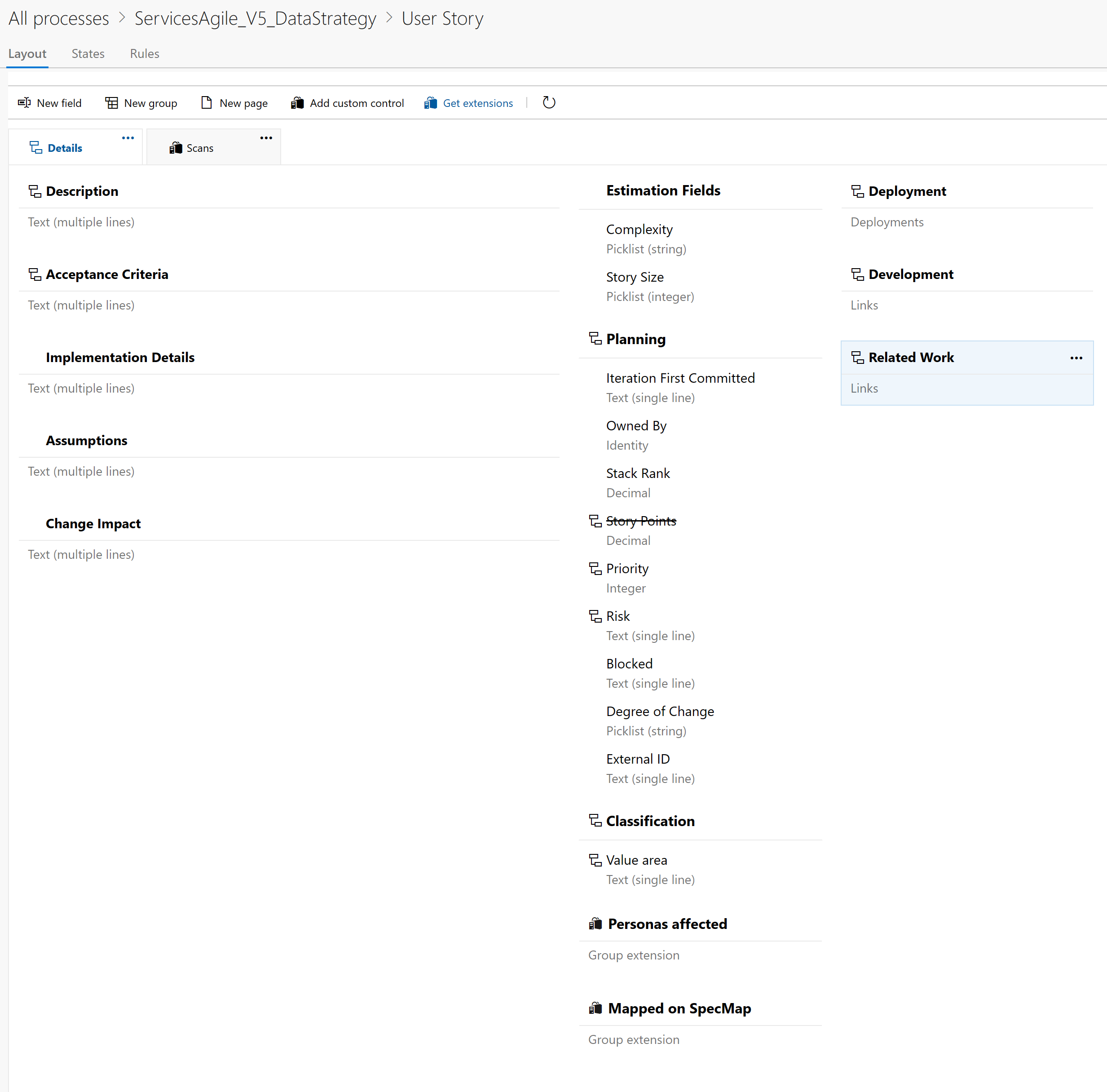
Agile Template Customizations
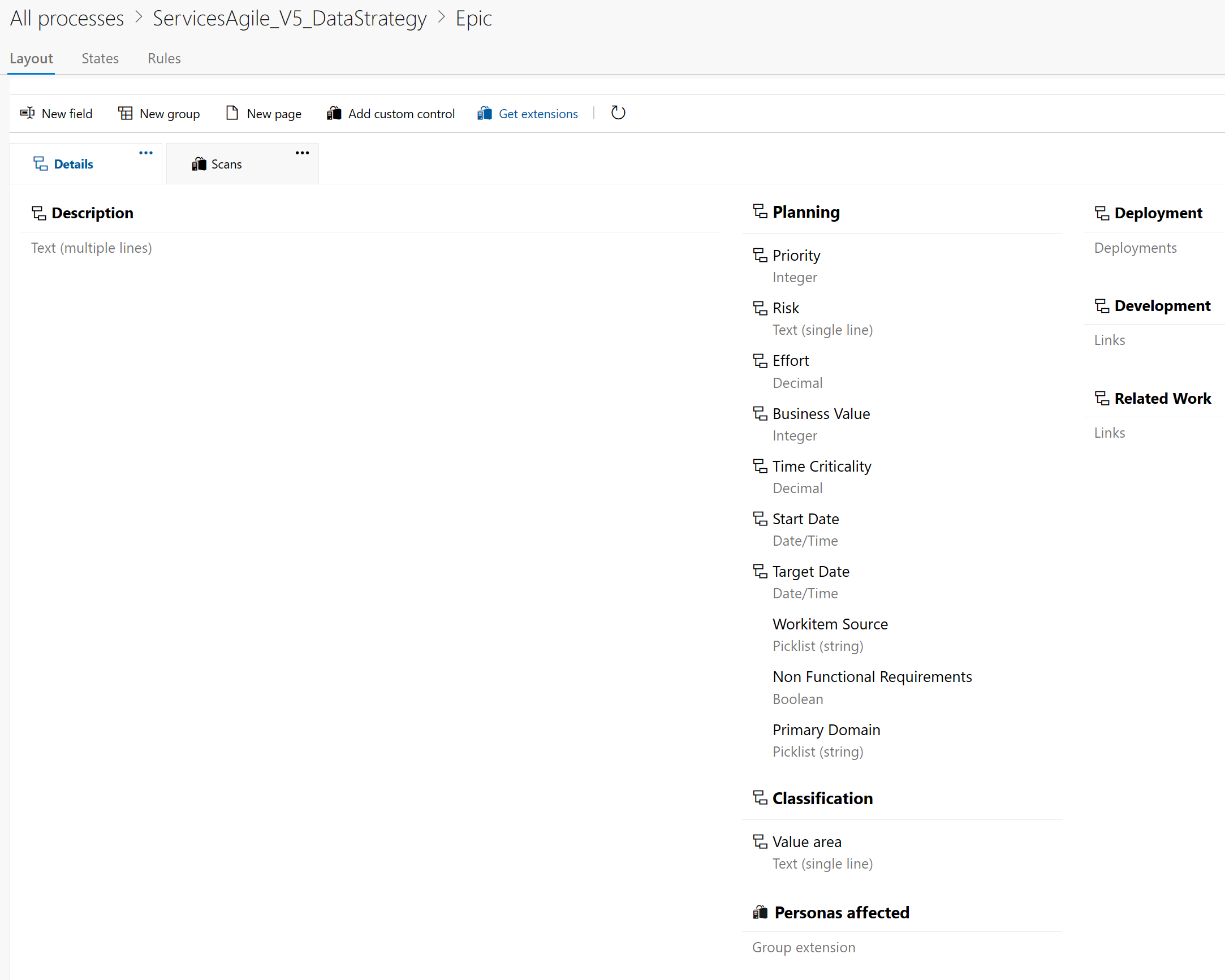
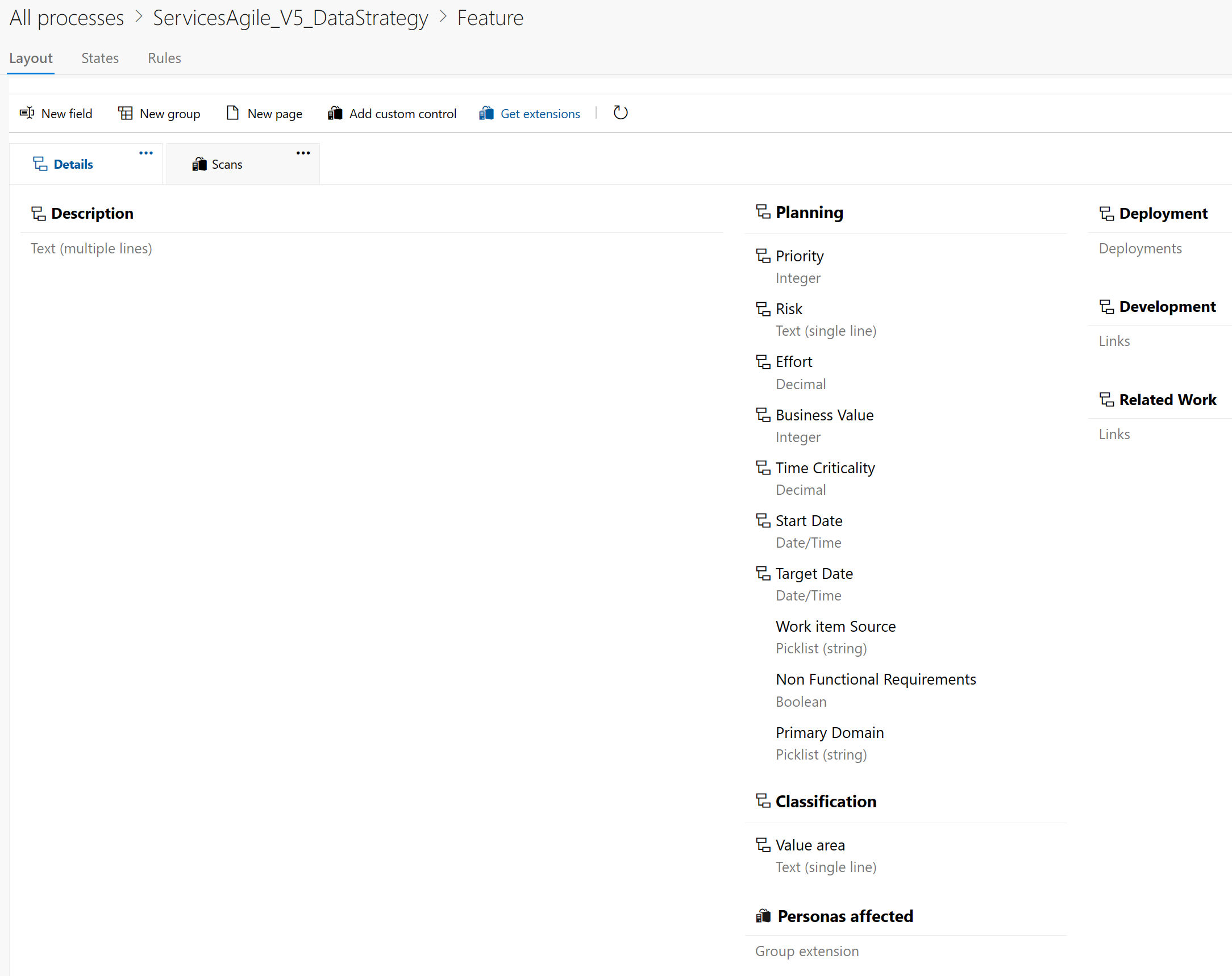
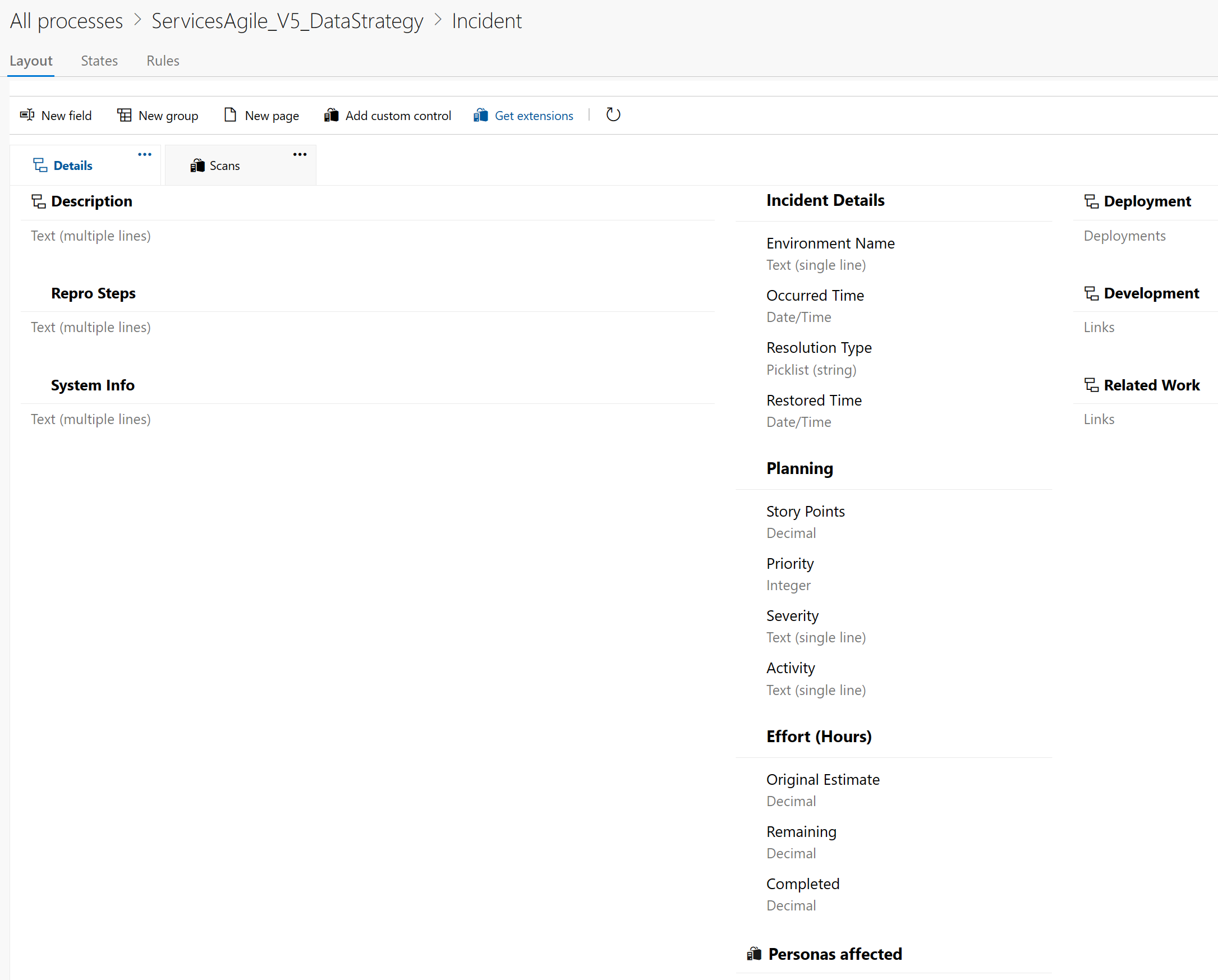
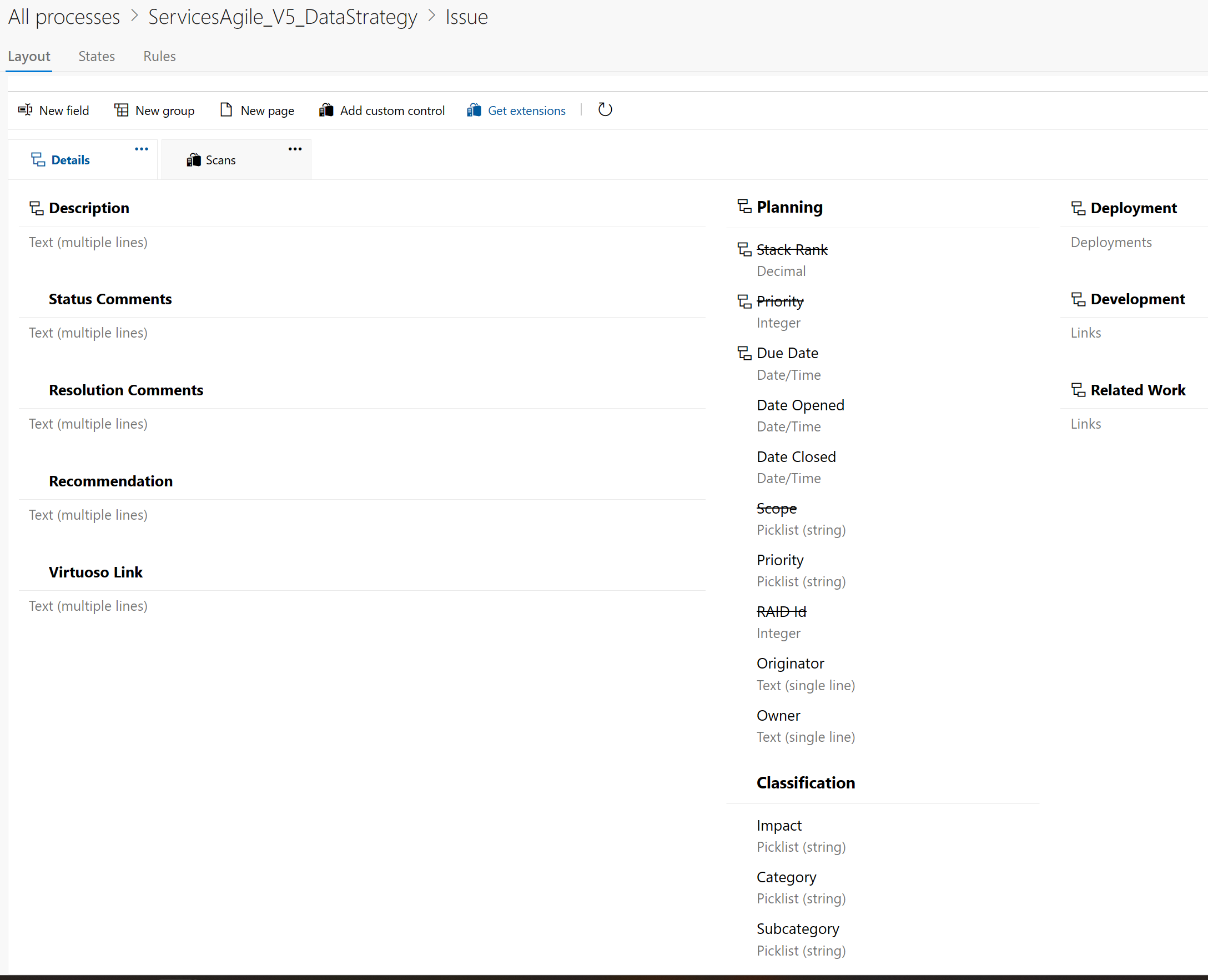
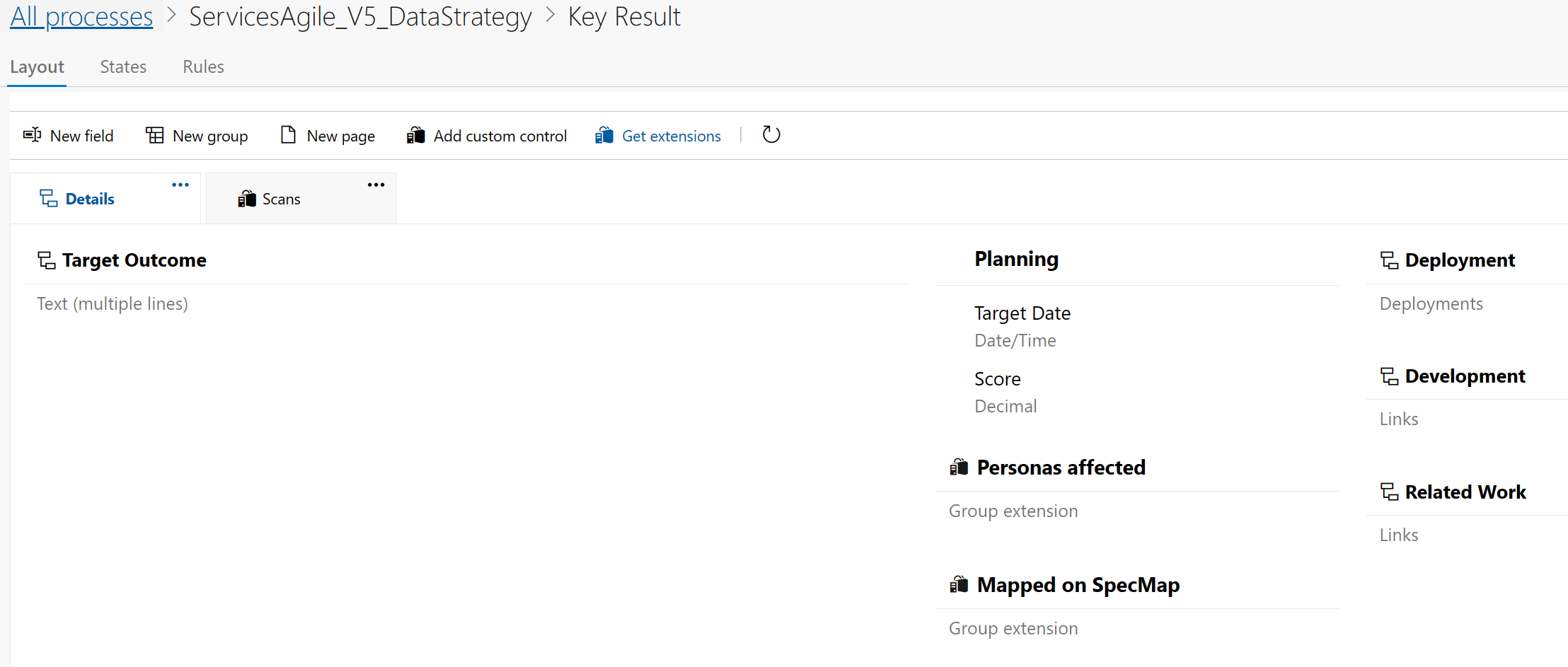
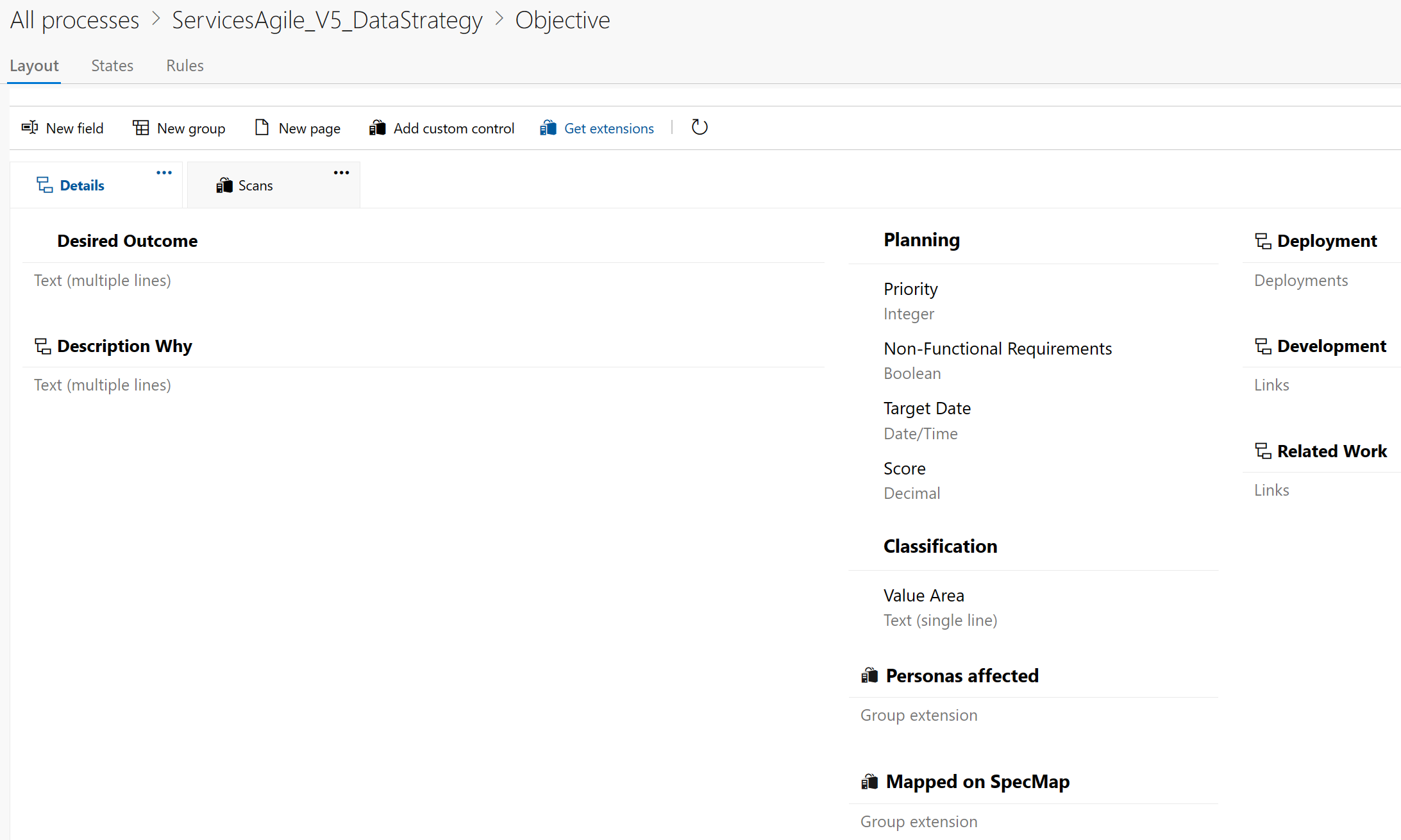
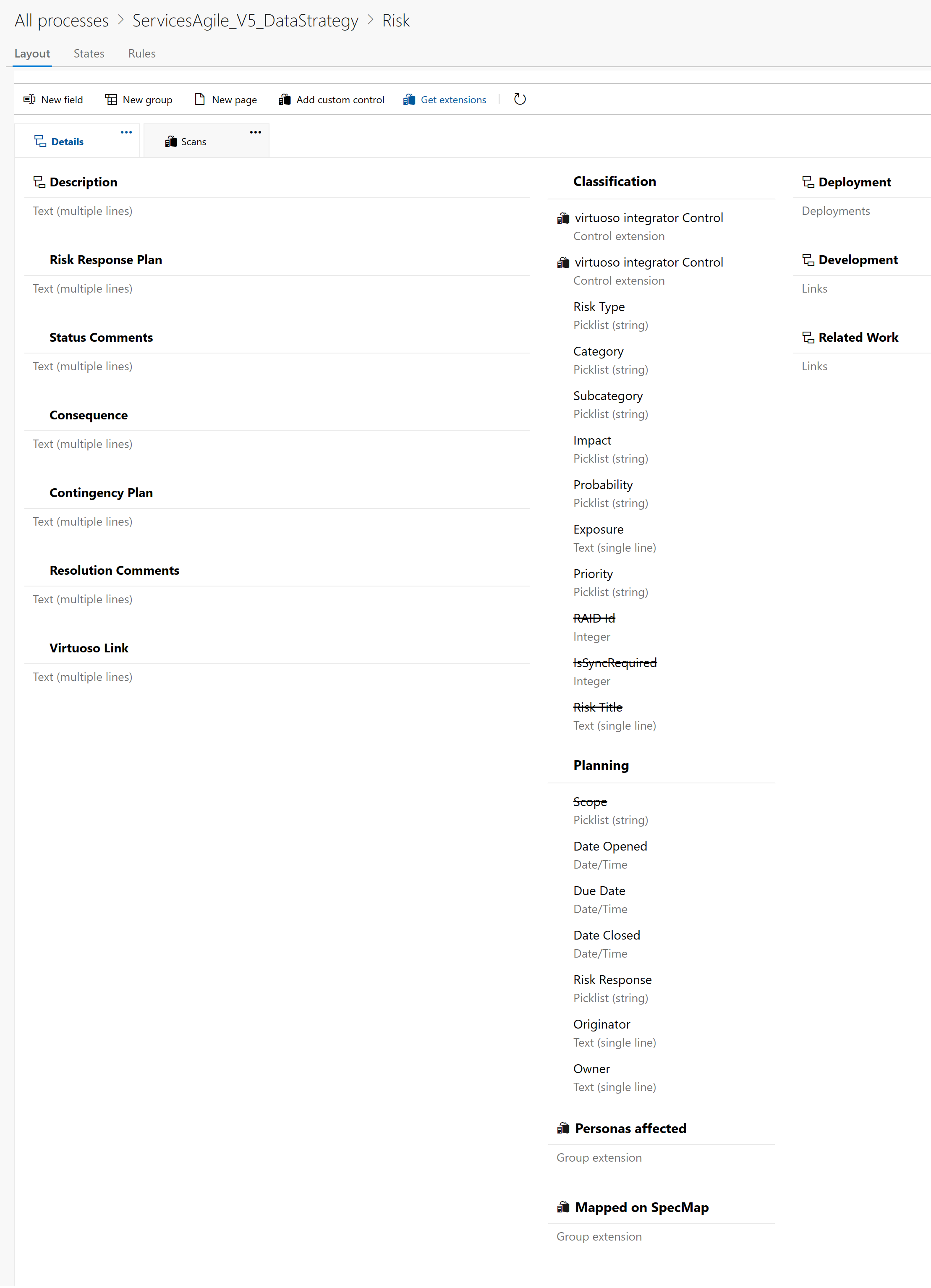
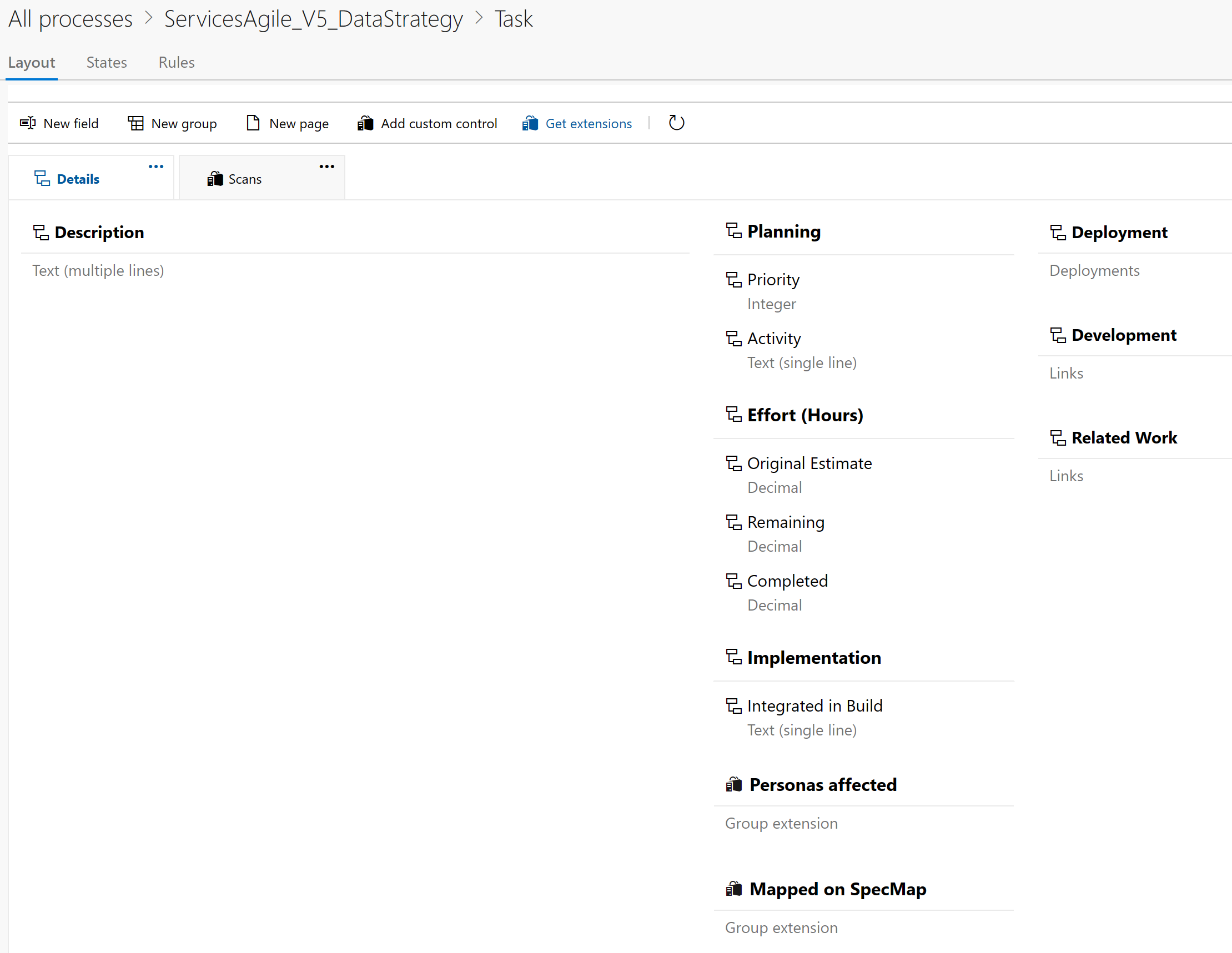
Below is a screenshot of the work items included in the Data Strategy Agile template: 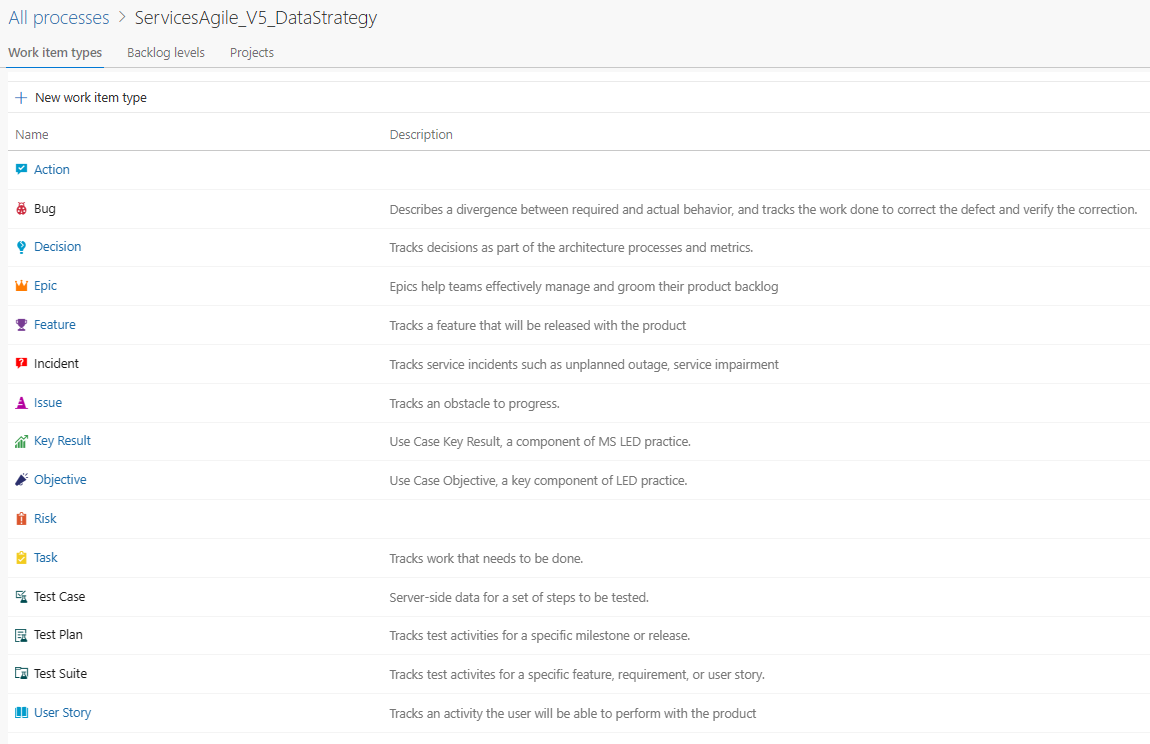
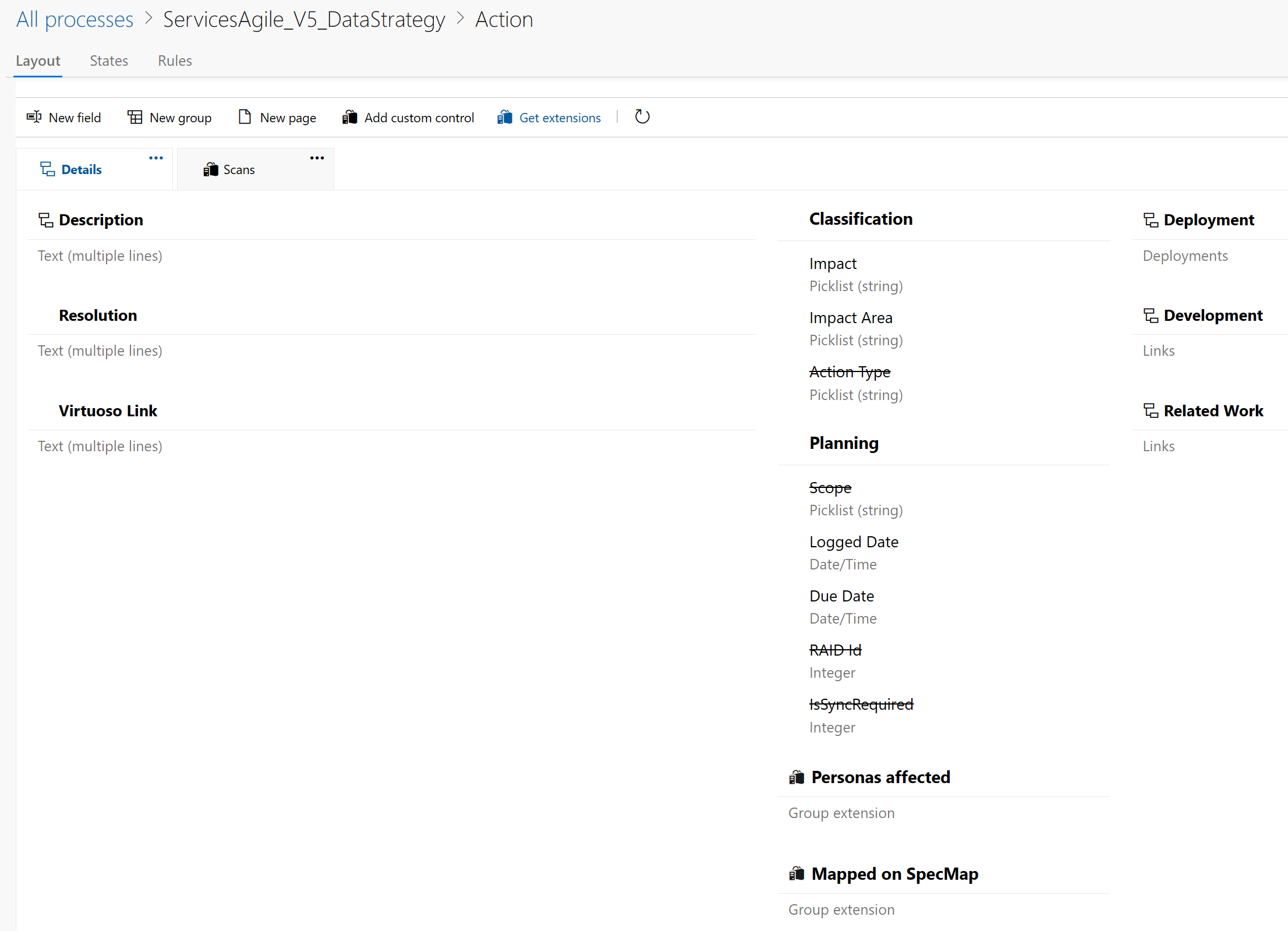
Action
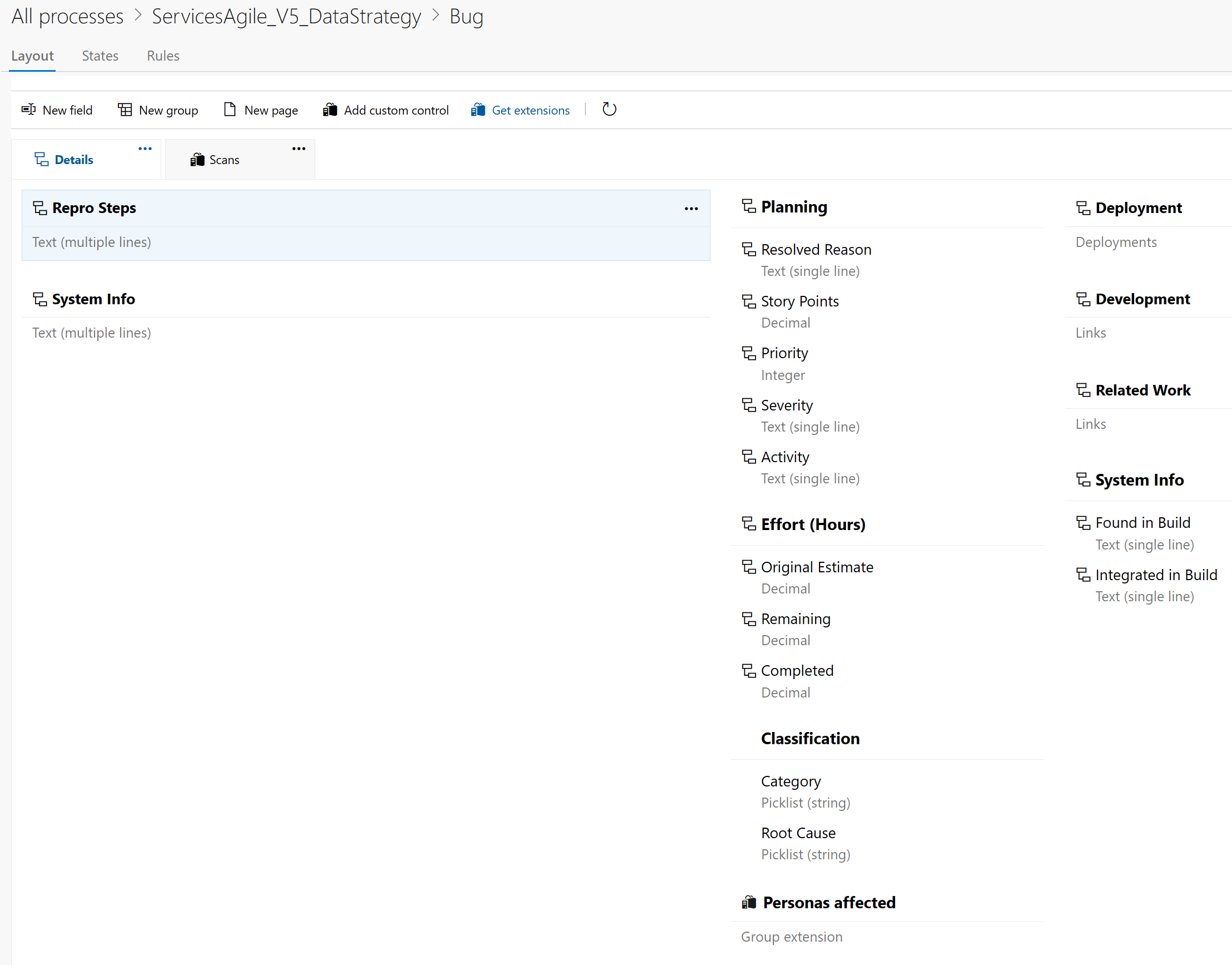
Bug
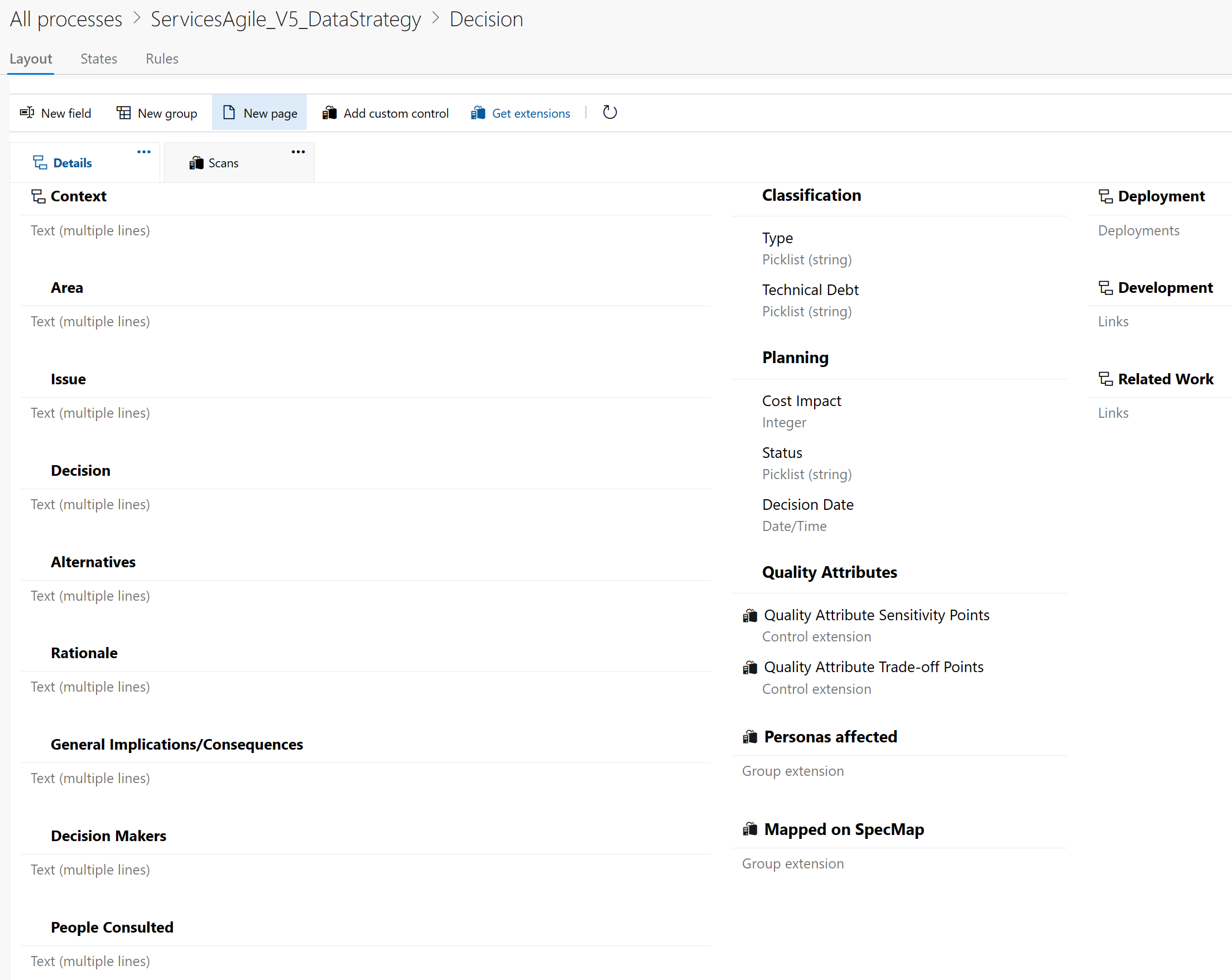
Decision
Epic
Feature
Incident
Issue
Key Result
Objective
Risk
Task
User Story
This post is licensed under CC BY 4.0 by the author.